General info
Secure and manage Mailchimp access on mobile and desktop devices using Microsoft Intune. Enforce compliance, conditional access, and endpoint protection to protect your marketing environment without compromising user productivity. Final pricing and timeline are customized after scoping.

Useful links
Related files
Related products
| Long description | Mailchimp + Microsoft Intune |
| Active | 1 |

Ask an expert
Secure Mailchimp Access with Microsoft Intune #
Endpoint security for marketing platforms #
Your teams rely on Mailchimp to run campaigns—whether on laptops, smartphones, or BYOD devices.
IT Partner’s Mailchimp + Microsoft Intune Integration ensures that only compliant, secure devices can access your Mailchimp environment.
What This Integration Does #
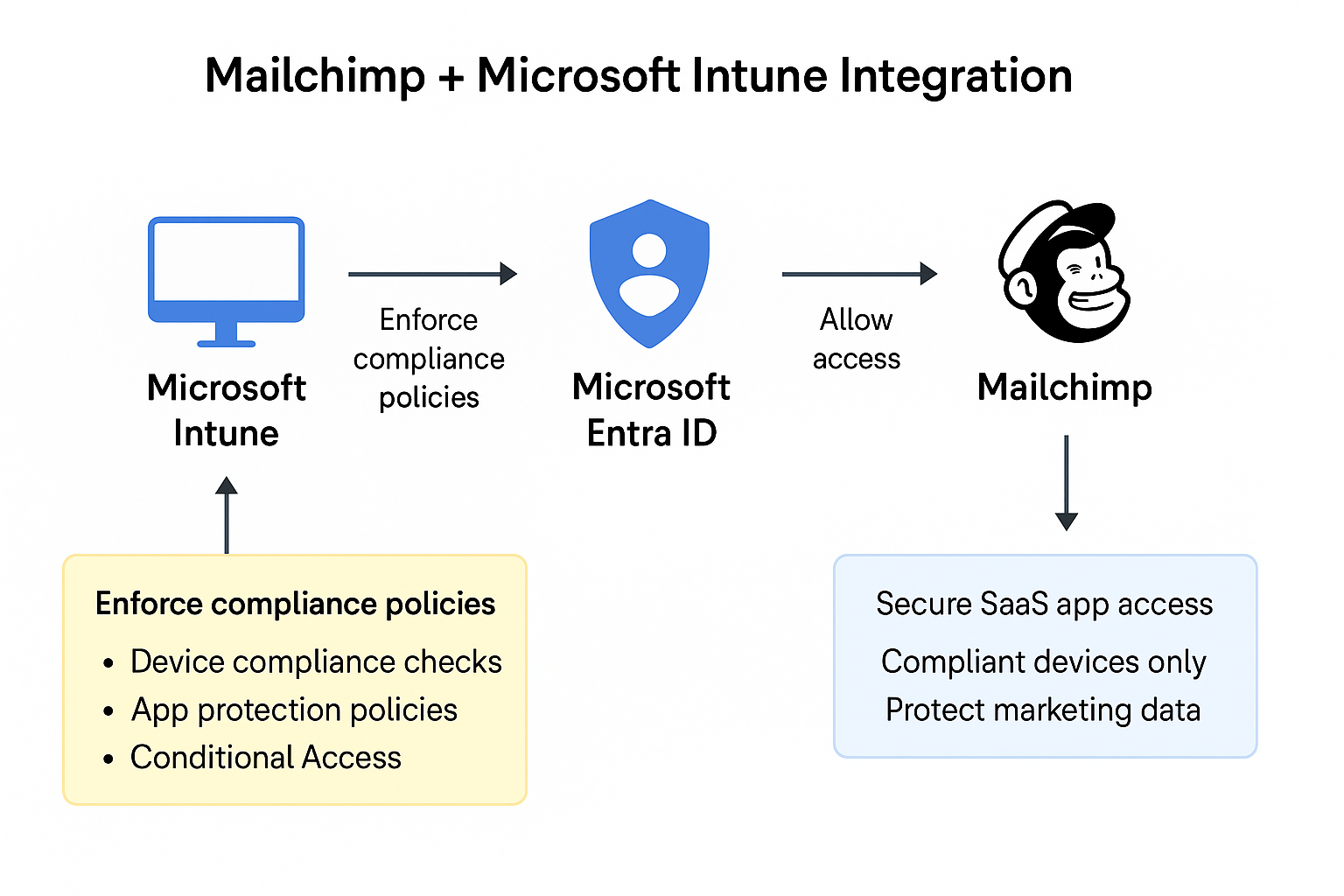
We extend your Microsoft Intune device compliance policies to Mailchimp access, enabling control over which devices, platforms, and users can work in Mailchimp—without disrupting productivity.
This includes:
- Device compliance checks enforced before granting Mailchimp access
- Conditional Access integration via Microsoft Entra ID
- App protection policies for supported managed browsers and mobile scenarios
- Monitoring and remediation for jailbroken/rooted devices
- Instant access revocation for non-compliant, lost, or stolen devices
Why It Matters #
Without proper device governance:
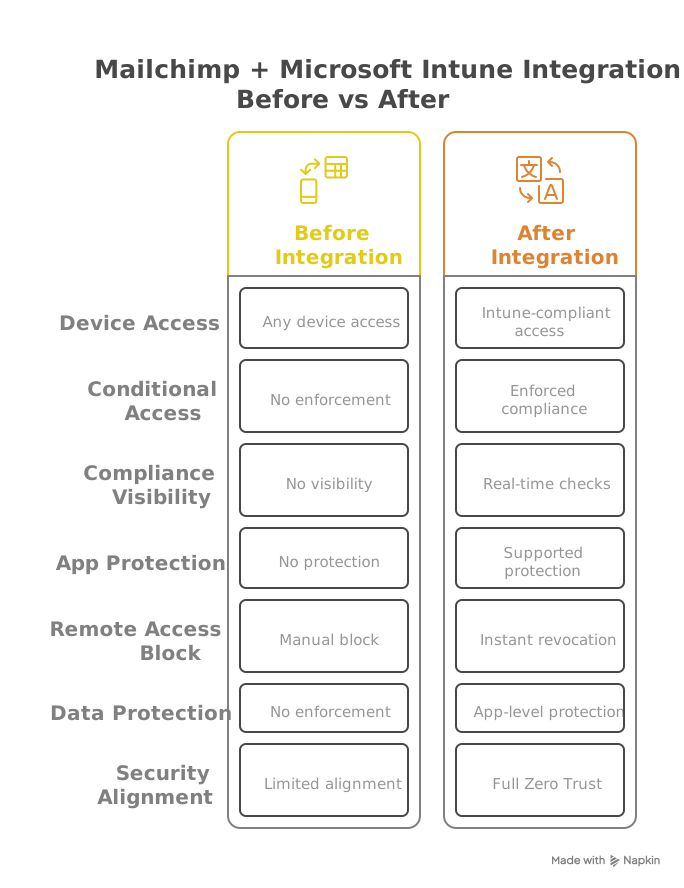
- Anyone with credentials can access sensitive marketing assets and audience data
- Lost/stolen devices become a compliance and security risk
- There’s no control over how or where Mailchimp is accessed
With Intune + Entra ID:
- Access is allowed only from secure, enrolled, compliant devices
- Device state is evaluated in real time before login
- Access can be blocked immediately if a device becomes non-compliant
Note: App-level remote wipe applies to supported MAM-managed apps. Browser sessions can be terminated via Conditional Access but cannot be wiped.
Key Benefits #
- Prevent unauthorized or risky device access to Mailchimp
- Enforce Zero Trust principles across marketing tools
- Automatically block non-compliant or unmanaged devices
- Extend mobile device management (MDM) and app protection (MAM) to Mailchimp access via managed browsers
- Support regulatory compliance frameworks like ISO 27001, HIPAA, and GDPR
How It Works #
Our Microsoft-certified experts integrate Intune and Entra Conditional Access with your Mailchimp environment using the following steps:
- Register Mailchimp as a SaaS app in Entra ID (SAML or OAuth integration)
- Configure Conditional Access policies to require compliant, enrolled devices for Mailchimp login
- Deploy Intune compliance policies for iOS, Android, macOS, and Windows platforms
- Apply App Protection Policies (MAM) for supported managed browser sessions and mobile scenarios
- Monitor, test, and roll out secure access enforcement with minimal disruption
Who’s This For? #
- Organizations using Mailchimp + Microsoft Intune + Entra ID
- Security-focused IT departments managing marketing and endpoint security
- Companies supporting remote, field, or BYOD marketing teams

Why Choose IT Partner LLC #
- Microsoft Solutions Partner
- Certified in Intune, Endpoint Management, and Conditional Access
- Specialists in marketing tool security and mobile device governance
- Proven SaaS + Endpoint security deployment experience

Let’s Get Started #
Let’s review your endpoint security strategy and securely connect it to your Mailchimp environment.